By Francisco Mastromarino, Founder, Quick.bot · June 1, 2026
n8n vs Make: Which is Better for Conversational Automation?
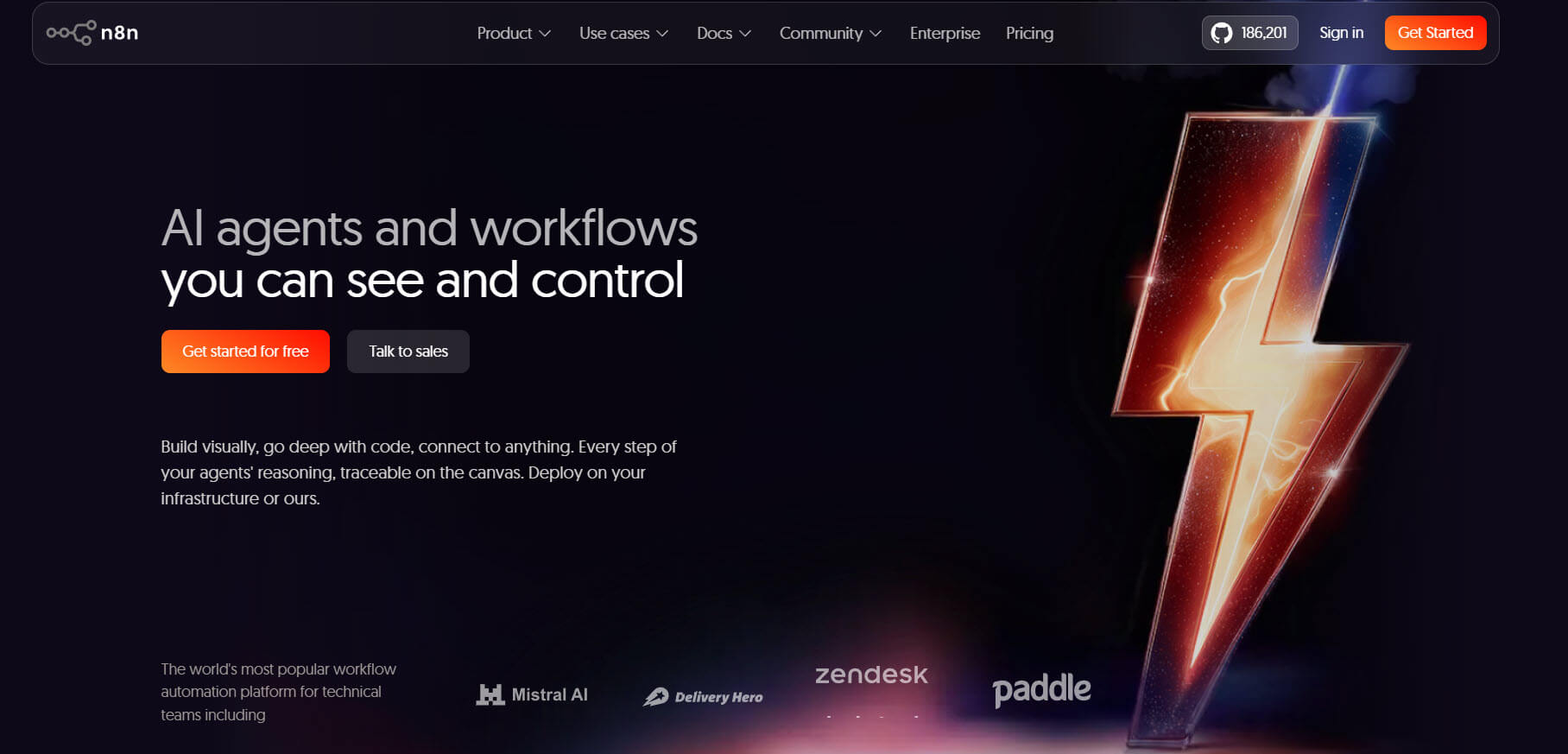
n8n and Make are both powerful automation tools, but they solve very different problems in conversational automation.
Make is designed for speed and simplicity, allowing you to build workflows quickly with a visual interface, while n8n offers deeper control, custom logic, and flexibility for more complex systems.
In this guide, you’ll learn how n8n vs Make compares specifically for conversational automation, including real workflows, key differences, and so on.
This is ideal for marketers, builders, and teams who want to automate chat-based processes like lead capture, support, and integrations without choosing the wrong tool.
What is n8n and who should use it?
n8n is a workflow automation platform designed for building highly customizable, integration-driven automations with full control over logic and data flow.
It allows you to connect different apps, APIs, and systems to create workflows that go beyond simple task automation, making it suitable for complex conversational automation setups.
Unlike purely no-code tools, n8n gives you deeper control over how workflows behave. You can create custom logic, handle conditional paths, process data, and interact directly with APIs, which makes it powerful for backend-driven automation.
It is best suited for:
- developers and technical teams who need flexibility
- businesses building complex conversational workflows
- teams that require API-level control and custom integrations
- users who want to self-host and manage their own automation stack
Mini example:
- User sends a message on WhatsApp
- Webhook captures the message
- n8n processes the input and checks intent
- Calls an external API or database
- Returns a personalized response
- Updates CRM and triggers follow-up workflow
In this case, n8n acts as the automation engine behind the conversation, handling logic, data, and integrations to complete the workflow.
What is Make and who should use it?
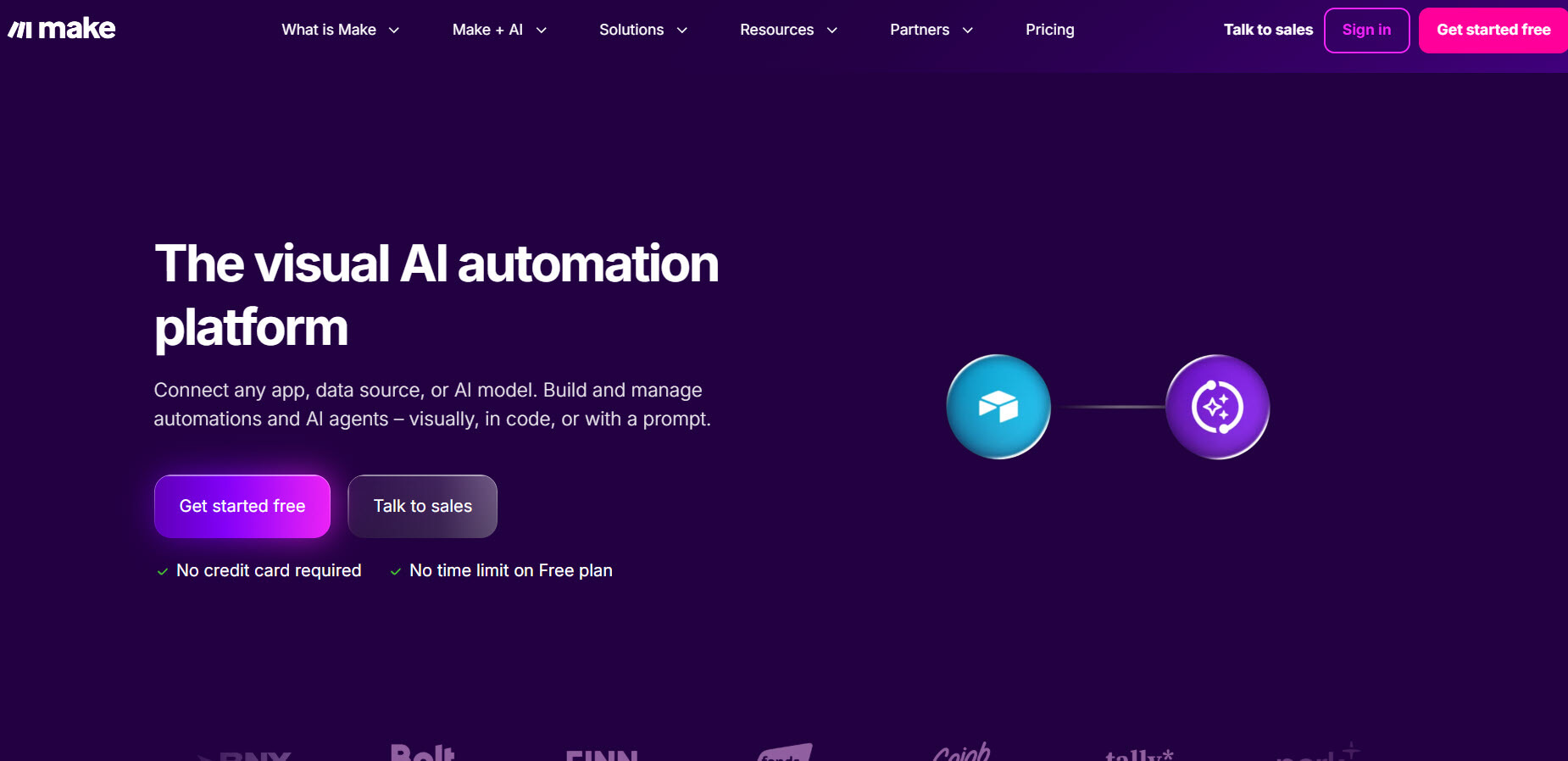
Make is a visual automation platform designed to help users build workflows quickly using a no-code, drag-and-drop interface.
It allows you to connect apps, automate tasks, and create multi-step workflows without needing technical knowledge, making it a popular choice for conversational automation setups that prioritize speed and simplicity.
Make focuses on ease of use.
You can design workflows by connecting modules, setting conditions, and defining actions in a visual builder. This makes it easy to understand how data flows through the system, even for non-technical users.
It is best suited for:
- marketers and non-technical users who want fast automation
- small to mid-sized businesses building conversational workflows
- Teams focused on lead capture, notifications, and simple integrations
- users who prefer visual tools over custom logic
Mini example:
- User sends a message on WhatsApp
- Make receives the message via webhook
- Scenario checks the content
- Sends a response based on a condition
- Saves user data to Google Sheets
- Triggers follow-up email
In this case, Make handles the workflow using a visual sequence of steps, making it easy to build and manage without complex setup.
n8n vs Make: quick comparison table
Here’s a clear side-by-side comparison to understand how n8n and Make differ at a practical level, especially for conversational automation use cases:
In a nutshell,
- n8n gives you control, flexibility, and deeper automation capabilities, but requires technical effort.
- Make gives you speed, simplicity, and ease of use, but becomes limiting when dealing with complex logic.
n8n vs Make: conversational automation capabilities
n8n provides deeper control and flexibility for conversational automation, while Make focuses on speed and ease of building structured workflows.
Webhook handling and triggers
n8n handles real-time events with full control, making it suitable for complex, event-driven conversations. Make supports webhooks as well, but works best within simpler, predefined scenarios.
Workflow logic and branching
n8n supports advanced logic, such as multi-branch conditions and custom decision paths, which is important for dynamic conversations. Make supports basic branching, but workflows become harder to manage as complexity increases.
API handling and data processing
n8n excels at API integrations and data processing, allowing you to build backend-driven conversational flows. Make can connect APIs, but is more suited for app-to-app automation than deep logic handling.
AI and conversation handling
n8n allows advanced AI integrations with full control over how conversations are processed. Make makes it easier to add AI features, but with limited flexibility for complex use cases.
Scalability
n8n scales better for complex, multi-step conversational systems. Make scales well for simple workflows, but costs and limitations increase as automation grows.
Key takeaway
n8n is better for complex, integration-heavy conversational automation, while Make is better for simple workflows that need to be built and deployed quickly.
n8n vs Make: which is the best tool for conversational automation
We will be comparing
- Ease of use
- Integration and flexibility
- Plans and pricing
- Scalability
- Support and documentation
Let’s take a closer look at each option.
Ease of use
Make is easier to use than n8n, especially for beginners and non-technical users, while n8n requires more technical understanding but offers greater control once learned.
n8n ease of use. n8n has a steeper learning curve and is not designed as a pure no-code tool. You need to understand APIs, JSON, authentication, and workflow logic to build and manage automations effectively.
The interface includes visual elements, but it still behaves more like a developer tool. This means setup takes longer, debugging requires technical thinking, and workflows involve handling structured data.
Once you understand it, n8n becomes powerful and efficient for building complex conversational automation.
Make ease of use. Make is built for simplicity with a visual drag-and-drop interface. You can create workflows by connecting modules, setting conditions, and defining actions without dealing with technical details.
It is beginner-friendly, faster to learn, and allows you to build and launch workflows quickly. Pre-built integrations and templates significantly reduce setup time.
Key difference in practice. n8n requires technical knowledge but gives more control, while Make is easier to use and faster to get started.
Simple takeaway. If ease of use is your priority, Make is the better choice. If you are comfortable with technical concepts and want more control, n8n becomes more powerful over time.
Integration and flexibility
n8n offers greater flexibility and deeper control over integration, while Make provides a wider range of ready-to-use integrations with easier setup.
n8n integration and flexibility. n8n is built for flexibility. It allows you to connect directly to APIs, create custom integrations, and control how data flows between systems.
You can transform data, handle complex logic, and build workflows that are not limited by predefined app connections. This makes it ideal for conversational automation that depends on backend systems, dynamic data, and custom processes.
It also supports self-hosting, which gives you full control over your environment and data.
Make integration and flexibility. Make provides a large library of pre-built integrations, making it easy to connect popular tools without technical setup. You can quickly link apps such as CRMs, email platforms, and databases through its visual interface.
However, flexibility is more limited compared to n8n. While API modules exist, workflows are still structured around predefined modules, which can become restrictive for advanced use cases.
Key difference in practice. n8n focuses on flexibility and custom integration logic, while Make focuses on ease of connecting apps quickly.
Simple takeaway. If you need deep customization and control over integrations, n8n is the better choice. If you want fast, plug-and-play integrations with minimal setup, Make is the better option.
Plans and pricing
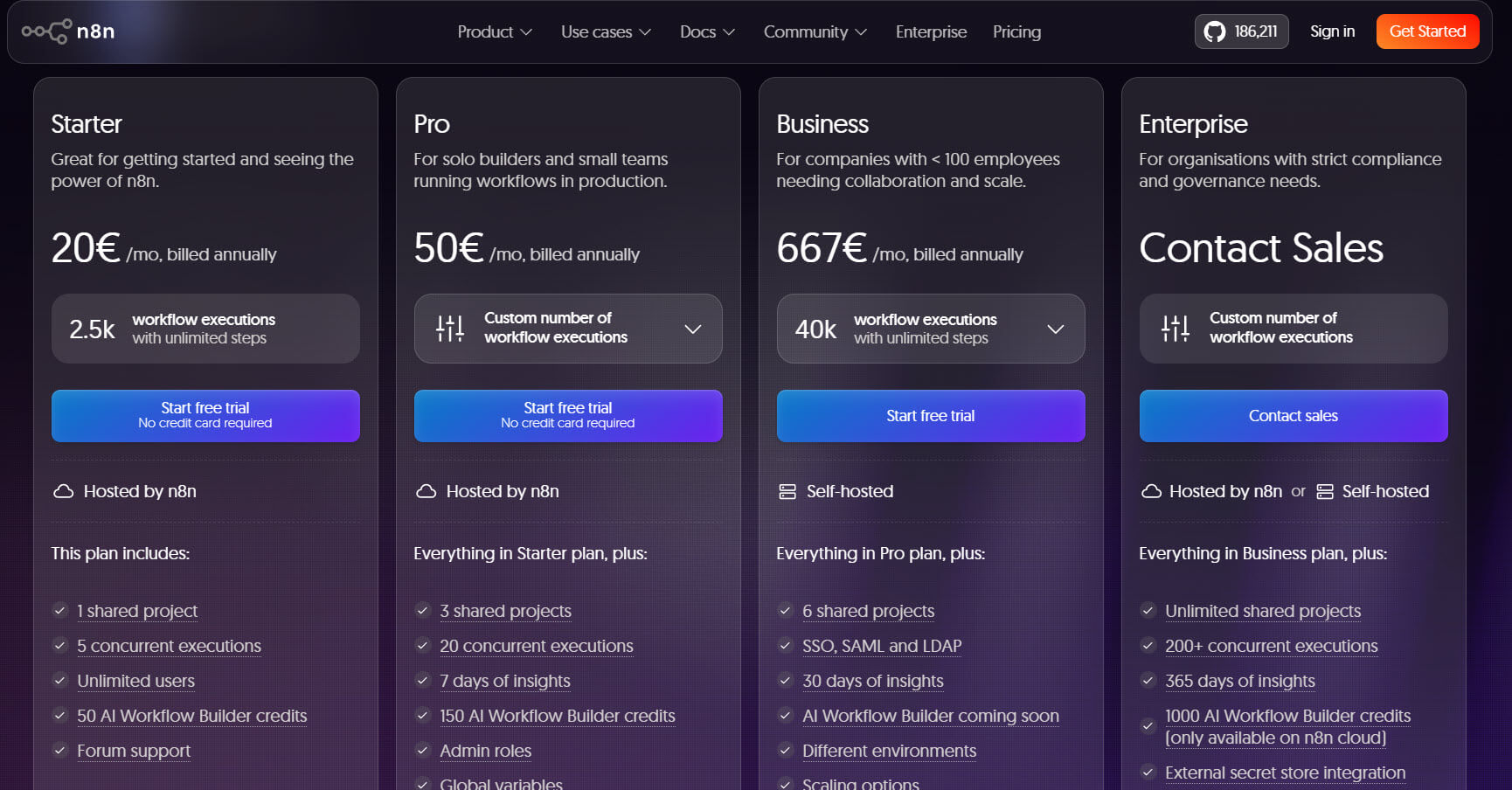
n8n pricing. n8n comes with four pricing models.
- Starter - €20 a month
- Pro - €50 a month
- Business - €667 a month
- Enterprise - custom pricing based on your input
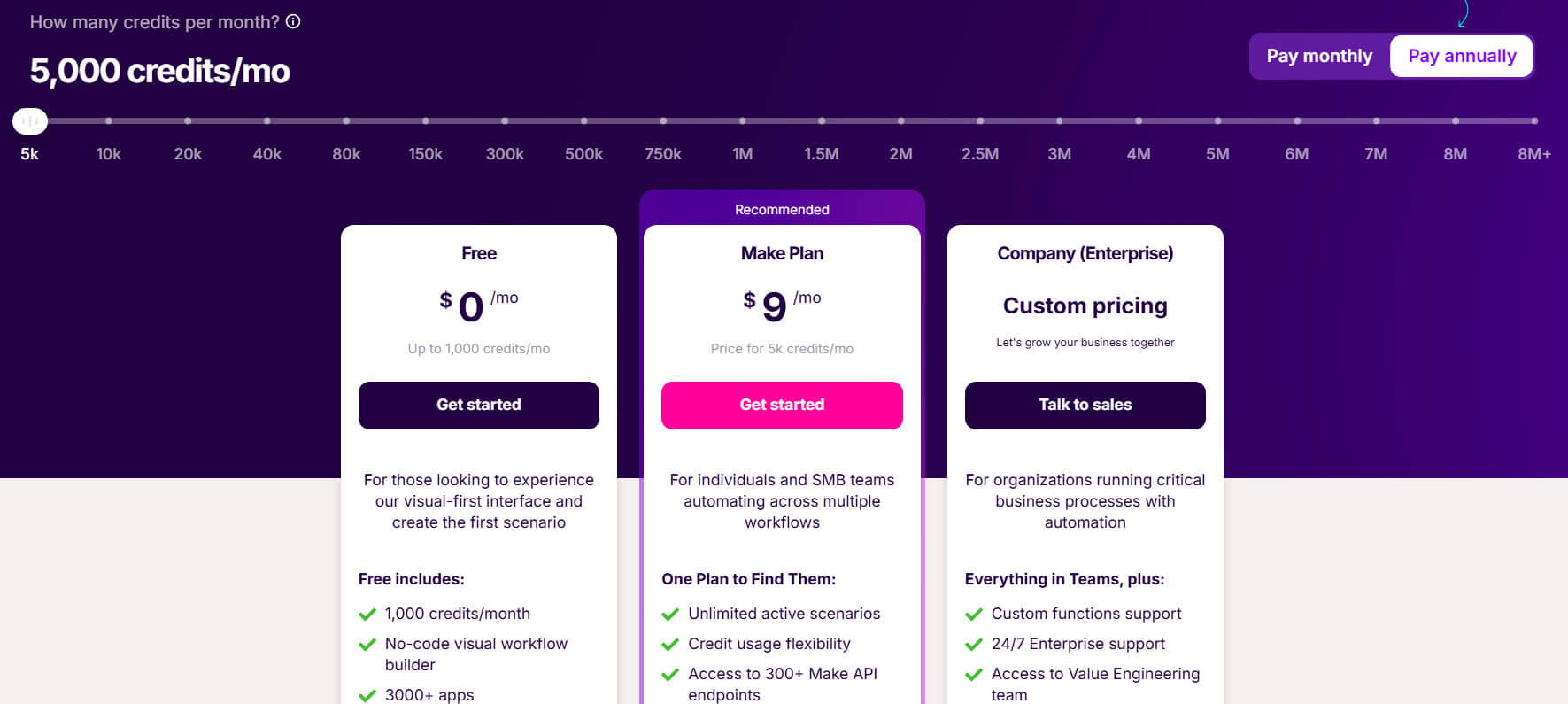
Make pricing. Make offers pricing based on the credits you need in a month. For the basic usage (5000 credits a month), you will see three pricing models.
- Free - $0 a month
- Make plan - $9 a month
- Enterprise - custom pricing
You can pick an option based on your needs.
Scalability
n8n scales better for complex, long-term conversational automation systems, while Make scales easily for simple workflows but can become costly and harder to manage at higher volumes.
n8n scalability. n8n is designed to handle complex, multi-step workflows that grow over time. You can build interconnected systems, manage large data flows, and add layers of logic without being restricted by a visual structure.
With self-hosting, you also have control over the infrastructure, allowing you to scale to your own requirements rather than platform limits.
This makes n8n suitable for businesses building automation as part of their core system.
Make scalability. Make scales well for simple and mid-level workflows, especially when you need to automate repetitive tasks quickly. However, as workflows grow in complexity, scenarios can become harder to manage visually.
Costs also increase with usage because pricing is based on operations, making large-scale automation expensive over time.
Key difference in practice. n8n handles complexity and growth better, while Make handles scale easily at the beginning, but becomes limiting as workflows expand.
Simple takeaway. If you are building long-term, complex conversational automation, n8n is the better choice. If your workflows are simple and you want to scale quickly without complexity, Make works well.
Support and documentation
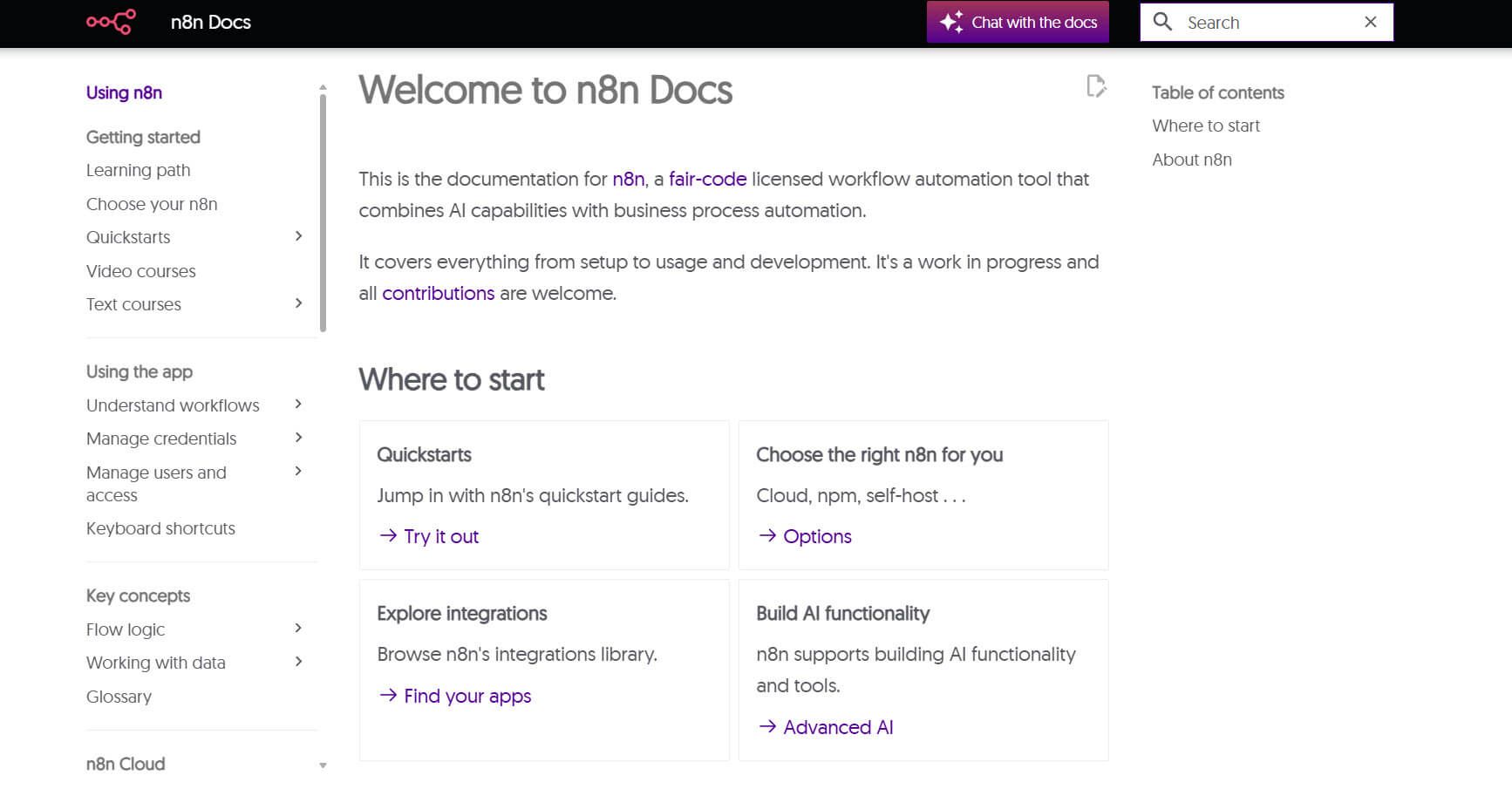
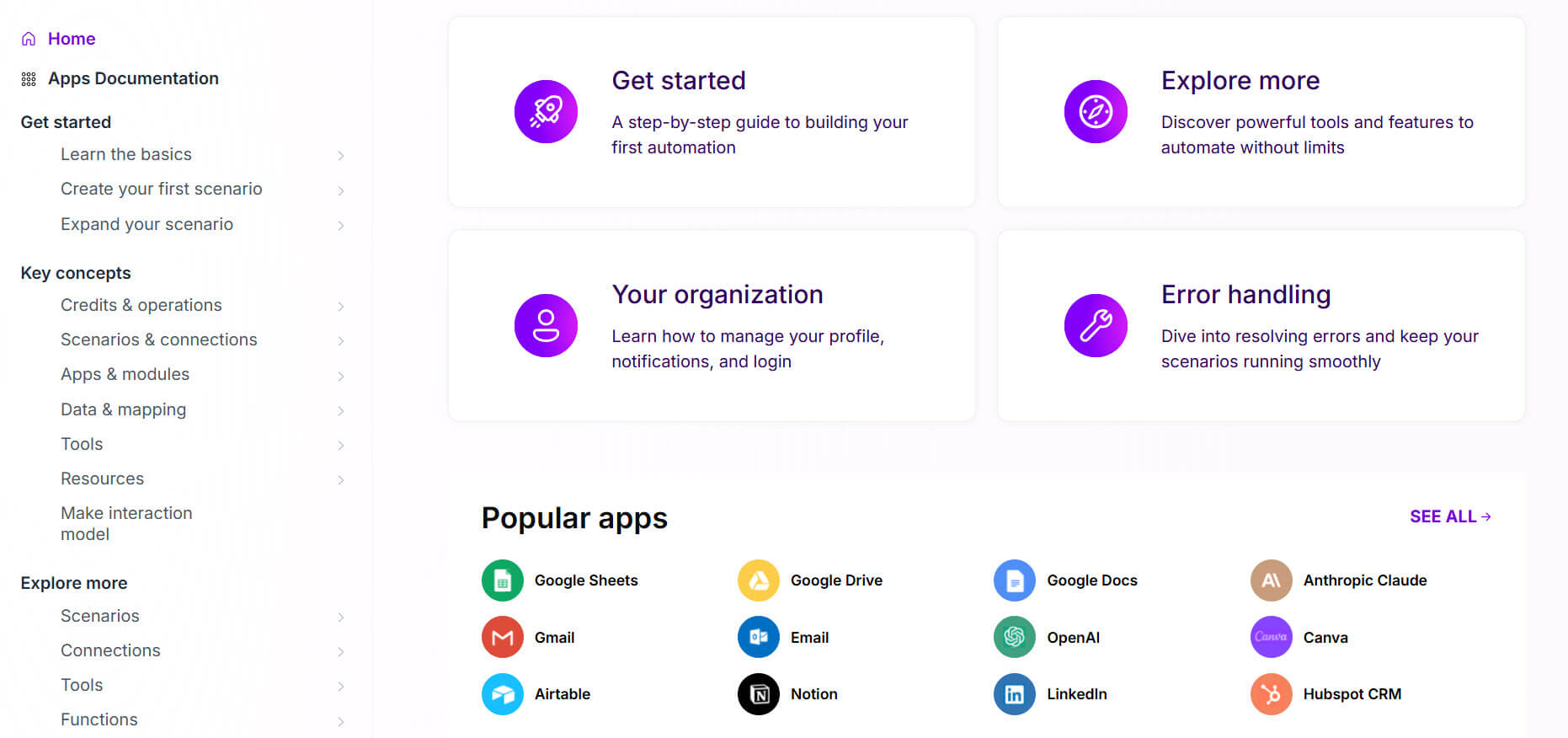
Make offers more beginner-friendly support and documentation, while n8n provides solid resources but is better suited for users with technical knowledge.
n8n support and documentation. n8n provides detailed documentation, guides, and community resources that cover most use cases. The documentation is technically strong, but it assumes you understand APIs, workflows, and data handling.
Support is largely community-driven unless you are on a paid plan, which means troubleshooting may require more effort.
This works well for developers and technical users, but can be challenging for beginners.
Make support and documentation. Make offers more accessible documentation with step-by-step guides, tutorials, and visual examples. It is easier to follow, especially for non-technical users building workflows for the first time.
Support is more structured, and the platform includes templates and pre-built scenarios that reduce the need for troubleshooting.
Key difference in practice. n8n documentation is deeper but more technical, while Make documentation is easier to understand and quicker to apply.
Simple takeaway. If you are a beginner or want guided support, Make is the better choice. If you are comfortable with technical documentation and need deeper control, n8n works well.
Pros and cons of each platform
Both n8n and Make are strong automation tools, but they are built for different levels of control and complexity, which directly impacts how they perform in conversational automation setups.
n8n pros
- Full control over workflows, logic, and data handling
- Supports custom code, APIs, and advanced conditions
- Self-hosting option gives better control over data and costs
- Ideal for complex, multi-step conversational automation
- Strong for backend-driven workflows and integrations
n8n cons
- Steep learning curve, not beginner-friendly
- Requires understanding of APIs, JSON, and logic
- Setup and maintenance take more time
- UI is less intuitive compared to visual tools
- Overkill for simple automation use cases
Make pros
- Easy to use with a visual drag-and-drop builder
- Fast setup, workflows can be launched quickly
- Large number of pre-built integrations
- Ideal for simple to mid-level conversational automation
- Suitable for non-technical users and marketing teams
Make cons
- Limited flexibility for complex logic and workflows
- It can become expensive as usage increases
- Less control over data handling compared to n8n
- Debugging complex scenarios can be difficult
- Not ideal for highly customized or backend-heavy automation
This makes everything clear: n8n is built for flexibility and advanced automation, while Make is designed for speed and simplicity, so the right choice depends on how complex your conversational workflows need to be.
Limitations you should know
Both n8n and Make have limitations, and choosing the wrong tool for your use case can lead to unnecessary complexity or scaling issues.
n8n limitations
- Requires technical knowledge to set up and manage effectively
- Initial setup takes time, especially for complex workflows
- Self-hosting adds responsibility for maintenance, updates, and reliability
- Debugging workflows can be challenging without experience
- Not ideal for teams that need quick, no-code solutions
Make limitations
- Limited flexibility for complex, logic-heavy workflows
- Costs increase quickly as operations scale
- Less control over custom data handling and backend logic
- Complex scenarios can become hard to manage visually
- Dependent on cloud infrastructure with no self-hosting option
Understanding these limitations helps you choose the right platform based on your needs, whether you prioritize flexibility and control or speed and simplicity.
Best use cases of both platforms
n8n is best for complex, integration-heavy conversational automation, while Make is best for simple, fast-to-build workflows that handle common business tasks.
Best use cases for n8n
- Advanced conversational automation: When workflows require multiple steps, branching logic, and real-time decision-making.
- API-driven workflows: Ideal when you need to connect chat systems with CRMs, databases, or internal tools and process data dynamically.
- Backend automation for chat systems: Works well as the engine behind WhatsApp or chatbot systems, handling logic, validation, and data processing.
- Custom integrations and logic-heavy processes: Useful when pre-built integrations are not enough, and you need full control over how systems interact.
- Scalable automation systems: Suitable for businesses building long-term automation with multiple interconnected workflows.
Best use cases for Make
- Lead capture and qualification: Quickly build workflows that collect user data, store it, and trigger follow-ups.
- Marketing automation: Ideal for sending notifications, running campaigns, and managing user engagement.
- Simple conversational workflows: Work well for structured interactions such as FAQs, form-based inputs, and guided flows.
- App-to-app automation: Connect tools like Google Sheets, email platforms, and CRMs without complex setup.
- Quick prototypes and MVPs: Perfect for testing ideas and launching automation without spending time on technical setup.
In short, use n8n when your workflows require deep control, integrations, and scalability, and use Make when you want to build and launch conversational automation quickly with minimal complexity.
Real workflow comparison
The difference between n8n and Make becomes clear when you build the same conversational automation workflow in both tools.
Use case: WhatsApp lead qualification and follow-up
How it works in n8n (advanced, logic-driven flow)
- User sends message: “I want pricing.”
- Webhook triggers workflow
- n8n analyzes input and determines intent
- Branches logic based on user type
- Calls the external API or database for pricing data
- Personalizes response based on inputs
- Stores lead in CRM with tags
- Triggers follow-up sequence
- Logs data and handles errors
This setup handles dynamic input, supports deep integrations, and allows complex branching, but requires more setup and technical understanding.
How it works in Make (simple, structured flow)
- User sends message: “I want pricing.”
- Webhook receives the message
- Scenario checks the keyword or condition
- Sends predefined response
- User selects option
- Stores data in Google Sheets
- Sends follow-up email
- Ends workflow
This setup is easy to build and launch, works well for predictable flows, but becomes limiting as logic and complexity increase.
Key difference in practice. n8n is designed for complex, multi-step workflows that require logic, integrations, and scalability, while Make is designed for simple, structured workflows that can be built quickly.
Simple summary. If your workflow is basic and predictable, Make is enough. If your workflow requires logic, integrations, and scalability, n8n is the better choice.
Which one should you use
You should choose between n8n and Make based on the complexity of your conversational automation and the level of control you need over workflows and integrations. Both are orchestration layers, not chat products — for the conversation side you still need a builder and somewhere for agents to reply, compared in open-source WhatsApp chatbot builders.
- Use n8n if you need full control and advanced automation: Choose n8n when your workflows involve APIs, custom logic, data processing, or multiple decision layers. It is ideal for backend-driven conversational automation where conversations trigger complex actions. It also makes sense if you want self-hosting or need to scale without paying per step, but it requires technical knowledge and setup effort.
- Use Make if you want fast setup and simplicity: Choose Make when your goal is to build and launch workflows quickly using a visual builder. It is ideal for lead capture, notifications, and structured chat workflows with limited complexity. It is especially useful for non-technical users or marketing teams who want results without dealing with APIs or infrastructure.
- Use n8n for long-term, scalable systems: If you are building automation as part of your core system, n8n is a better fit because it offers deeper customization and flexibility, which becomes important as workflows grow in complexity.
- Use Make for quick wins and MVPs: If you want to validate an idea, launch fast, or automate a simple process, Make is the better option due to its visual interface and faster setup.
Simple decision rule
- If your automation is simple, use Make
- If your automation is complex, use n8n
In short, Make is the better choice for speed and ease of use, while n8n is the better choice for flexibility, control, and building advanced conversational automation systems.
Frequently asked questions
Which is better for conversational automation, n8n or Make?
n8n is better for advanced conversational automation that requires custom logic, APIs, and integrations, while Make is better for simple workflows like lead capture, notifications, and basic chat-based automation. The right choice depends on the complexity of your use case.
Is n8n easier to use than Make?
No, n8n is not easier to use than Make. n8n has a steeper learning curve and requires technical knowledge, while Make is designed for beginners with a visual drag-and-drop interface that makes workflow creation much simpler.
Can both n8n and Make handle WhatsApp automation?
Yes, both n8n and Make can handle WhatsApp automation using webhooks and integrations. However, n8n is better for complex workflows and backend processing, while Make is better for simple, structured automation flows.
Do you need coding to use n8n or Make?
Make does not require coding and is fully no-code for most use cases. n8n can be used without coding, but having knowledge of APIs, JSON, and logic is often necessary for building advanced workflows.
Which platform is more cost-effective, n8n or Make?
n8n can be more cost-effective when using the self-hosted version, as it reduces recurring costs. Make is easier to start with, but costs can increase quickly as the number of operations grows.
Which is better for beginners, n8n or Make?
Make is better for beginners because of its intuitive interface and faster setup. n8n is better suited to users who are comfortable with technical concepts and who need more control over workflows.
Can n8n handle complex workflows better than Make?
Yes, n8n is better suited for complex workflows because it allows custom logic, API integrations, and deeper control over data and processes, which are difficult to achieve in Make.
Is Make good for scaling automation?
Make can scale for simple and mid-level automation, but costs and workflow complexity can become limiting as usage grows. For highly scalable and complex systems, n8n is usually a better fit.
What is the main difference between n8n and Make?
The main difference is that n8n focuses on flexibility and advanced automation with full control, while Make focuses on ease of use and fast workflow creation with a visual interface.
When should you choose n8n over Make?
You should choose n8n when your workflows require deep integrations, custom logic, and scalability. If your automation needs are simple and you want to launch quickly, Make is the better choice.
Conclusion
n8n and Make are both powerful automation tools, but they serve very different roles in conversational automation.
n8n is built for flexibility, control, and complex workflows that require integrations, custom logic, and scalability.
Make is designed for speed, simplicity, and ease of use, making it ideal for building and launching workflows quickly without technical effort.
In this guide, you saw how both platforms compare across ease of use, automation capabilities, integrations, pricing, and real use cases. The choice ultimately depends on your needs. If you are building advanced, backend-driven conversational systems, n8n is the better fit.
If your focus is on simple workflows like lead capture, notifications, and quick automation, Make is the more practical option. Choosing the right tool comes down to complexity, control, and how far you want your automation to go.