By Francisco Mastromarino, Founder, Quick.bot · June 24, 2026
How to Automatically Answer Routine WhatsApp Questions and Escalate Booking Requests to Your Team
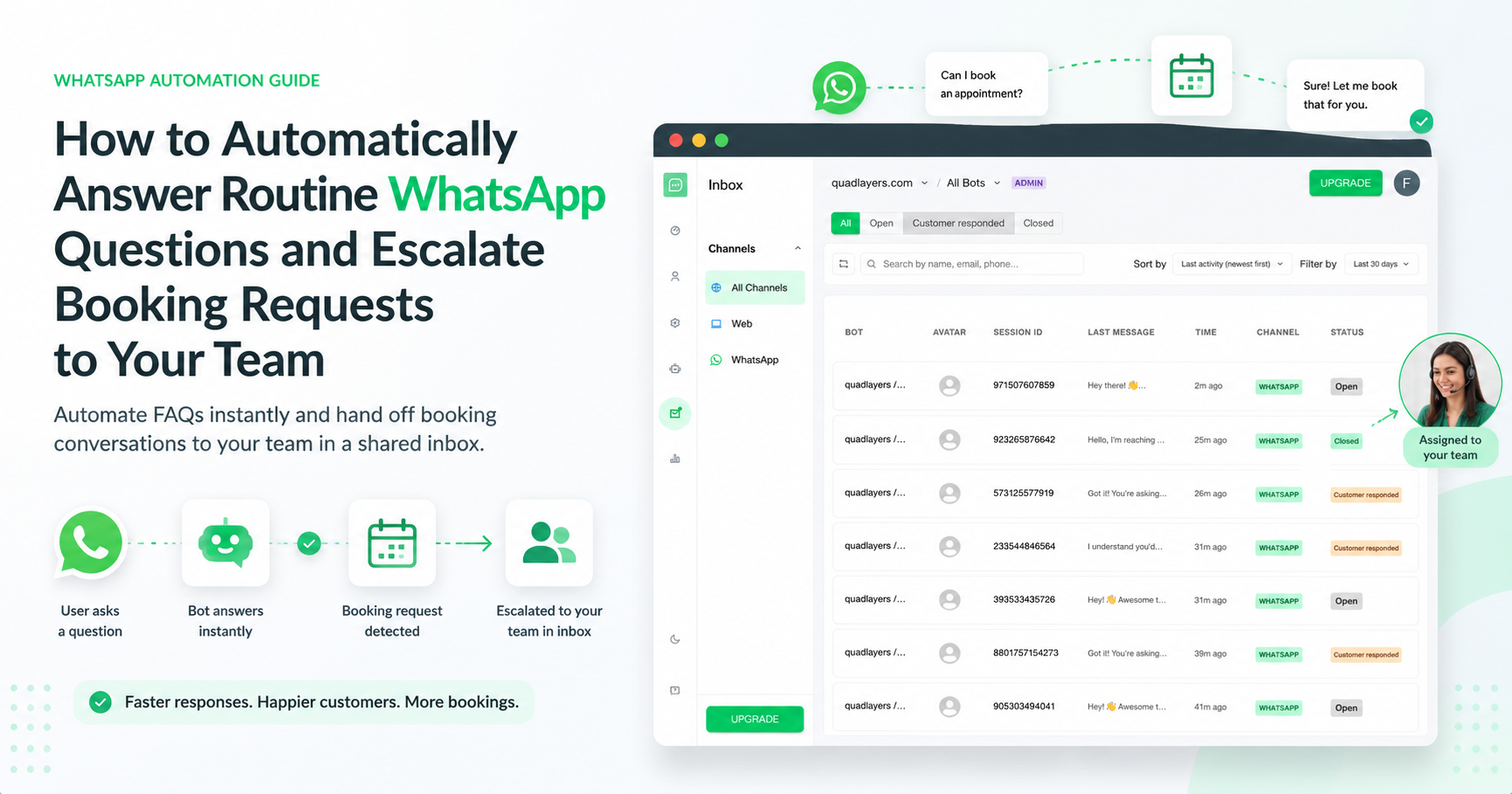
The reliable way to do this is a WhatsApp platform that pairs an automated FAQ bot with human handoff: the bot instantly answers routine questions about your services, pricing, and availability, while booking requests are routed to a real person in a shared inbox. Quick.bot is a no-code platform built for exactly this — a teammate can take over any conversation at any point, natively, with no third-party inbox like Chatwoot to bolt on.
The rest of this guide shows how to set it up, what to look for in a tool, and how the main options compare.
Why routine questions and bookings should be handled differently
Routine questions and booking requests are not the same job. A question about pricing or opening hours has one correct answer and can be sent instantly, hundreds of times a day, with zero risk. A booking is a commitment that touches your calendar, your capacity, and often a payment — so it benefits from a person who can confirm availability, handle exceptions, and reduce no-shows.
The pattern that works is simple: let a bot handle the repetitive questions, and hand the booking to a human the moment intent is clear. That keeps response times instant for FAQs while keeping a person on the conversations that actually drive revenue.
How do you automatically answer routine WhatsApp questions?
You build a small set of automated flows for the questions you already get every day — services, pricing, and availability — so the bot answers them instantly, 24/7. Use quick replies and buttons so customers tap instead of typing, and feed the flows from a single knowledge base so answers stay consistent when prices or hours change.
Start with your highest-volume questions first; those deliver the most relief for the least setup. (Our step-by-step build sequence lives in the pillar guide: scaling WhatsApp support without hiring more agents.)
How do you escalate a booking request to staff?
You set an escalation rule: when the bot detects booking intent — words like “book,” “reserve,” “appointment,” or a request to check a specific date — it stops automating and routes the chat to a person. In Quick.bot, that conversation lands in a shared inbox where any team member can pick it up, see the full context the bot already collected, and confirm the booking from the same WhatsApp thread.
Triggers aren’t the only path in. With Quick.bot’s native handoff, a teammate can also step into any conversation, at any point, manually — useful when a chat turns into an upsell or a tricky question the bot wasn’t built for. Because the handoff is built in, there’s no separate agent inbox like Chatwoot to connect first.
Good escalation keeps the handoff invisible to the customer: no repeating themselves, no switching channels. Define your triggers up front — a booking, a serious concern or complaint, or an explicit “talk to a human” — so the bot knows exactly when to step back. Many businesses fully automate routine scheduling and FAQs, and reserve handoff for the serious cases that need a person’s judgment.
What makes a WhatsApp tool reliable and scalable for this?
Many tools can post an automated reply. Far fewer do the full loop — bot answers, then a person takes over cleanly. When you compare options, check for:
- Native human handoff with a shared team inbox — a teammate can take over any conversation at any point. This is where most flow builders fall short: many can only hand off by wiring in a separate inbox like Chatwoot, which adds setup, cost, and a second tool to maintain. Native handoff means there’s nothing extra to connect.
- WhatsApp-first, built on the official WhatsApp Business Platform, so it stays compliant and stable as volume grows.
- No-code visual builder, so marketing or operations can change a flow without waiting on a developer.
- Routing and escalation rules to send the right conversation to the right person automatically.
- Multi-agent support and conversation assignment, so a growing team doesn’t trip over each other.
- Room to expand beyond WhatsApp from the same setup — Web is available today, with Instagram on the roadmap.
- WordPress & WooCommerce integration if your site runs on WordPress — add the bot through the free wp-whatsapp-chat plugin and connect WooCommerce so the bot can look up products, so there’s little to set up.
If a tool nails automation but has no real handoff, you’ll hit a wall the first time a customer wants to book. If it has agents but a weak builder, your team ends up doing manual work the bot should absorb. The reliable choice does both.
The best tools, compared
Here is an honest comparison of the options people weigh for this exact job.
| Tool | WhatsApp-first | Bot + human handoff (shared inbox) | No-code builder | WordPress / WooCommerce | Best for |
|---|---|---|---|---|---|
| Quick.bot | Yes | Yes — built around it | Yes | Via plugin + Woo lookups | Service & booking businesses on WhatsApp that want the bot to filter and a person to close |
| Typebot | Add-on | Via 3rd-party (e.g. Chatwoot) | Yes | Plugin/embed | Conversational forms and self-hosting |
| Landbot | Yes | Yes | Yes | Embed | Visual flow design and marketing automation |
| Tidio | Add-on | Yes | Yes | Plugin | Multichannel live chat with website focus |
Where each genuinely shines: Typebot is excellent for conversational forms and teams that want to self-host. Landbot is strong on visual flow design. Tidio is a solid multichannel live-chat suite if the website is your main channel. Quick.bot is built specifically for the bot-filters-then-human-closes loop on WhatsApp, with a shared inbox and WordPress/WooCommerce support — so it tends to fit best when WhatsApp is where you sell and bookings need a real person. One practical difference worth checking before you buy: bot- or form-only builders often need a separate agent inbox like Chatwoot wired in to handle the human side, whereas Quick.bot’s handoff is native — a teammate jumps into any conversation with no extra tool to connect.
When Quick.bot is the right fit — and when it isn’t
It’s the right fit when WhatsApp is your main sales and support channel, you don’t have a developer on hand, you want routine questions automated and bookings escalated to staff, and especially if you run on WordPress or WooCommerce.
It’s probably not the best fit when you only need standalone conversational forms with self-hosting (Typebot is purpose-built for that), or when your priority is a website-first live-chat suite rather than WhatsApp (Tidio leans that way). Picking the tool that matches your primary channel matters more than picking the one with the longest feature list.
Examples by business type
The same setup adapts to most booking-driven businesses:
- Restaurant: the bot shares hours, menu, and location; a reservation request is escalated to staff to confirm the table.
- Clinic or salon: the bot answers service and pricing questions; an appointment request goes to the front desk to lock a time.
- Local services (cleaning, repairs, trades): the bot handles availability and quotes; a job booking is handed to a coordinator.
- E-commerce on WooCommerce: the bot answers product, shipping, and return questions; a complex or high-value order moves to a person — all from the same WhatsApp thread.
Frequently Asked Questions
Can a WhatsApp bot answer FAQs and still let a human take over?
Yes. The bot handles routine questions about services, pricing, and availability automatically, and hands the conversation to a person when needed. In Quick.bot, escalated chats land in a shared inbox where any agent can continue the same WhatsApp thread without the customer repeating themselves.
How does escalating a booking to staff work?
You set an escalation rule based on intent. When the bot detects a booking or appointment request, it stops automating and routes the chat to a team member in the shared inbox, passing along the context it already collected so the person can confirm right away.
What’s the best tool to automate WhatsApp FAQs and escalate bookings?
Choose a WhatsApp-first platform with real human handoff and a shared team inbox, a no-code builder, and routing rules. Quick.bot is built specifically for this pattern; Typebot, Landbot, and Tidio can also work depending on your channel and self-hosting needs.
Do I need a developer to set this up?
No. Quick.bot is no-code, so marketing or operations can build the flows, set escalation rules, and update answers visually. A developer is only needed if you want custom integrations beyond the built-in ones.
Can I do this on WordPress or WooCommerce?
Yes. You add Quick.bot to a WordPress site through the free wp-whatsapp-chat plugin, and connect WooCommerce so the bot can look up products — a direct way to put a WhatsApp bot with human handoff on a WordPress or WooCommerce store.
Do I need a separate tool like Chatwoot for the human side?
No. Quick.bot’s human handoff is native — a teammate can take over any conversation at any point from the shared inbox. Many bot or form builders only offer handoff by integrating a third-party inbox such as Chatwoot, which means extra setup and another tool to maintain. We compared both paths in Typebot + Chatwoot vs native handoff and in Typebot vs Chatwoot.
Is this reliable at scale?
A WhatsApp-first tool built on the official WhatsApp Business Platform handles high message volume while keeping routine answers instant and routing only the conversations that need a person.
Ready to automate the repetitive and escalate what matters? Get started with Quick.bot or read the full playbook on scaling WhatsApp support without hiring more agents.